Constrain the radius of a single arc or circle. If the arc or circle is accidentally resized, the constraint prevents the operation, preserving the radius.
To constrain the radius of an arc or circle:
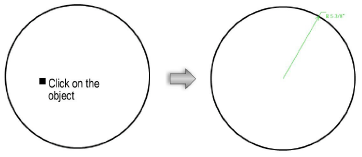
1. Click the Constrain Radius tool from the Dims/Notes tool set.
2. Click on the arc or circle to be constrained.
A green radius constraint is drawn on the object.
The Constrain Radius tool does not work on quarter arcs.