Using Photometric Threshold SettingsUsing Photometric Threshold Settings
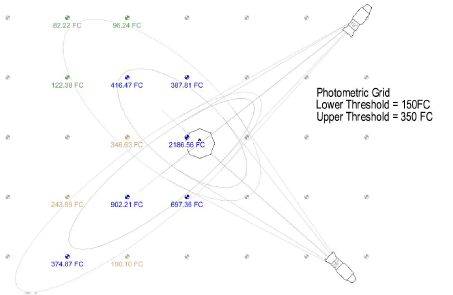
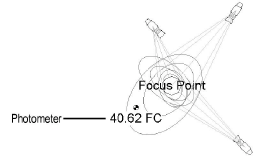
Vectorworks’ photometric grid and photometer calculate and display the illumination values at the elevation point. The values are displayed in either foot candles (Imperial) or lux (Metric), depending on the units selected in File > Document Settings > Units.
If Use Threshold Settings is selected in the Object Info palette, colors indicate the illumination range according to the Lower/Upper Threshold values set in the Object Info palette.
Color |
Description |
|
Gray |
Illumination value of zero |
|
Green |
Illumination value between zero and Lower Threshold |
|
Tan |
Illumination value between Lower and Upper Threshold |
|
Blue |
Illumination value above Upper Threshold |
The photometric grid and photometer range colors can be changed. See Customizing Photometric Threshold Colors.
To evaluate the illumination values at different heights, change the elevation of the photometric object in the Object Info palette.
~~~~~~~~~~~~~~~~~~~~~~~~~