Command |
Path |
Shortcut |
Window |
● Ctrl+Shift+P (Windows) ● Cmd+Shift+P (Mac) |
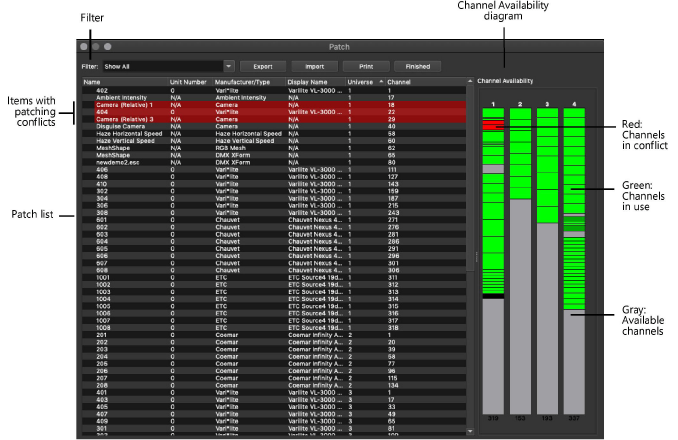
Use the Patch dialog box to view and edit the DMX address of the following scene items:
● Fixtures
● RGB mesh objects
● Layers with DMX transforms
● DMX-controlled cameras
● DMX-controlled ambient intensities
● DMX-controlled haze vertical/horizontal speeds
The address of a single item can be edited directly from the Patch list. To edit the patching of multiple items, use context menu commands to set the universe, to patch items sequentially, and to resolve conflicts (see Assigning patch information). In addition to DMX patching, you can sort and filter the Patch list to view the desired data, and export, import, and print patching data.
To open the Patch dialog box:
Select the command.
 Click
to show/hide the parameters.
Click
to show/hide the parameters.
~~~~~~~~~~~~~~~~~~~~~~~~~
