Concept: Data tags
Difficulty level: Intermediate
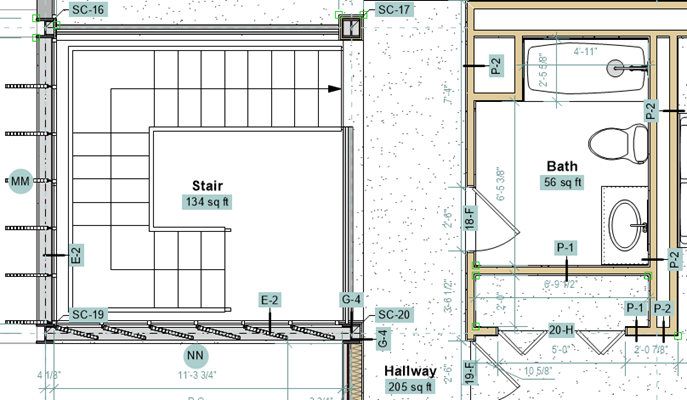
Data tags can show almost any type of data associated with drawing objects, including general parameters (such as height), record fields (such as a model number), or IFC data. You can also add simple labels to your drawings that don't show object data, such as a date or number stamp.
Several data tag styles are provided in the Vectorworks resource libraries. Library files that name specific types of objects (such as Wall.vwx) contain tags that are designed to be attached to that type of object and to show specific data from the object. Some files contain tags that aren't meant for a specific type of object; these are used as labels only. You can also easily create a custom style from an existing object that has data attached.
The Data Tag tool has multiple modes, to handle different kinds of objects and tags. You can place a simple label tag anywhere in the drawing. If you use an object-specific data tag style, you can tag objects individually, or automatically tag multiple objects. If the tag style has the ability to tag object subparts (for example, wall components) you can tag the subparts individually or not, as desired.
Data tags are highly customizable to meet your needs. You control what data is shown, as well as the tag layout. If needed, you can create a data tag that allows you to manually add or edit data that is then stored with the object. If you're an experienced worksheet user, you can extend the capabilities of data tags even further by using worksheet-style formulas or referencing data in external spreadsheets.